Troubleshooting
Known issues and how to resolve them.
Written By Kacper Staniul
Last updated 6 months ago
Sometimes things don’t work exactly as expected, and we know that can be frustrating. We’re aware of these issues and are already working on permanent fixes. Until then, here are the known issues and some workarounds you can use right away.
Error message when rendering or animating
This mostly happens when your Internet connection is unstable. So please make sure you’re:
Connected to a stable Wi-Fi connection.
Not using a VPN to change your location.
Not using ad blockers.
Not using Starlink.
Not using the Brave browser.
If none of the below apply to you, try clearing your browser cache. Here are the instructions depending on what browser you’re using:
Safari: https://support.apple.com/en-il/guide/safari/sfri11471/mac
Firefox: https://support.mozilla.org/en-US/kb/how-clear-firefox-cache
Error message when trying to download 4k renders
This error is often also related to an unstable connection. If you see the download pop-up, clicking the “ready to download” link instead of the button usually helps.
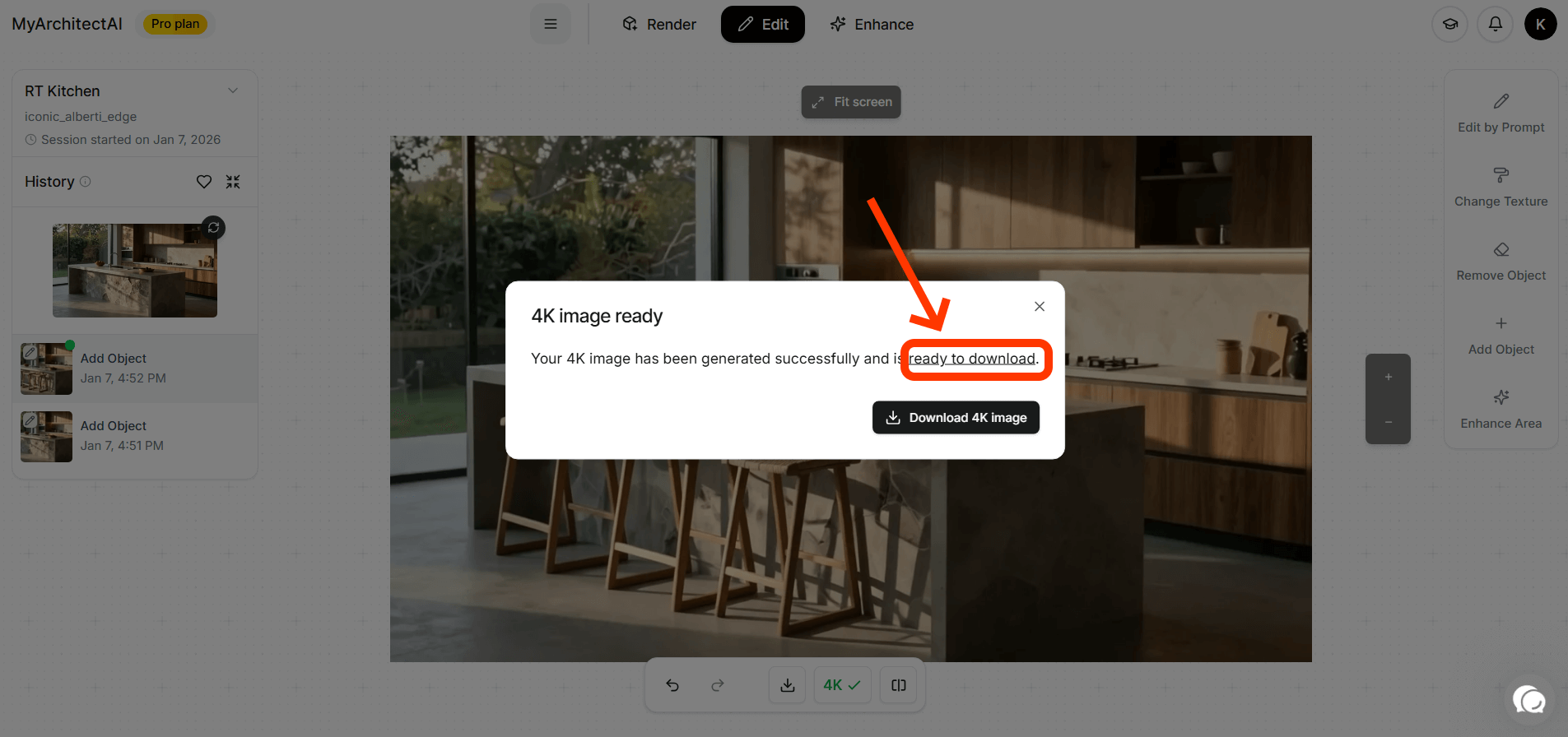
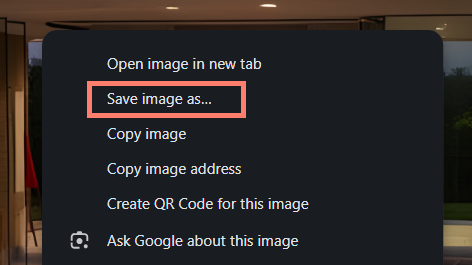
Your render will open in a new window. From there, select “Save image as…” and select where to download the image.
If this doesn’t help either, please clear your browser cache as described in the section before.
Elements from the input image changed
If this happens, please mention these elements in your prompt (at the rendering stage) to give the engine more context about your design. This usually helps improve the accuracy.
People and vehicles are not sharp
For best results, we recommend adding people and vehicles using the Edit by Prompt tool, instead of rendering them from the input image.
Warped or distorted elements
Repeated, closely spaced elements such as louvres and roof tiles might get distorted. The workaround is to apply them to your render using the Edit by Prompt tool. This is also an item on our to-improve list for the next engine update.
Wrong sunlight direction
You can control the sunlight by adding to your prompt “…sunlight from the front of the building”, “sunlight from the right side”, or “…sunlight from behind the camera”. Always mention it in relation to the main subject or the camera. A dedicated sunlight direction tool is coming soon.
Render doesn’t follow the input image and was completely changed
This can happen if your prompt mentioned something that wasn’t in the input image, e.g. input contains a building in an urban setting, but the prompt mentions woods and mountains.
To add elements that are not in your input design, always use the editing mode.
Still need help? Ask the team