Change textures
Written By Kacper Staniul
Last updated 9 months ago
Best practices:
Upload your own textures for the most control. We’ll be expanding our built-in library over time.
Upload images of high-resolution textures. Low-res images might make the result look blurry or patchy.
Make sure the orientation of your uploaded texture matches your desired result.
If the scale of the applied texture is too large, upload a more detailed one, and vice versa. We plan on adding scale adjustments in the future.
If the texture wasn't applied properly on the first go, try applying it again using the same selection. It often results in better output. Lastly, enhance your selection for a clean finish.
The magic wand tool isn't pixel-perfect, so we recommend using it in combination with the paint brush tool. Use the magic want to select most of the area, then fine-tune with the paint brush tool.
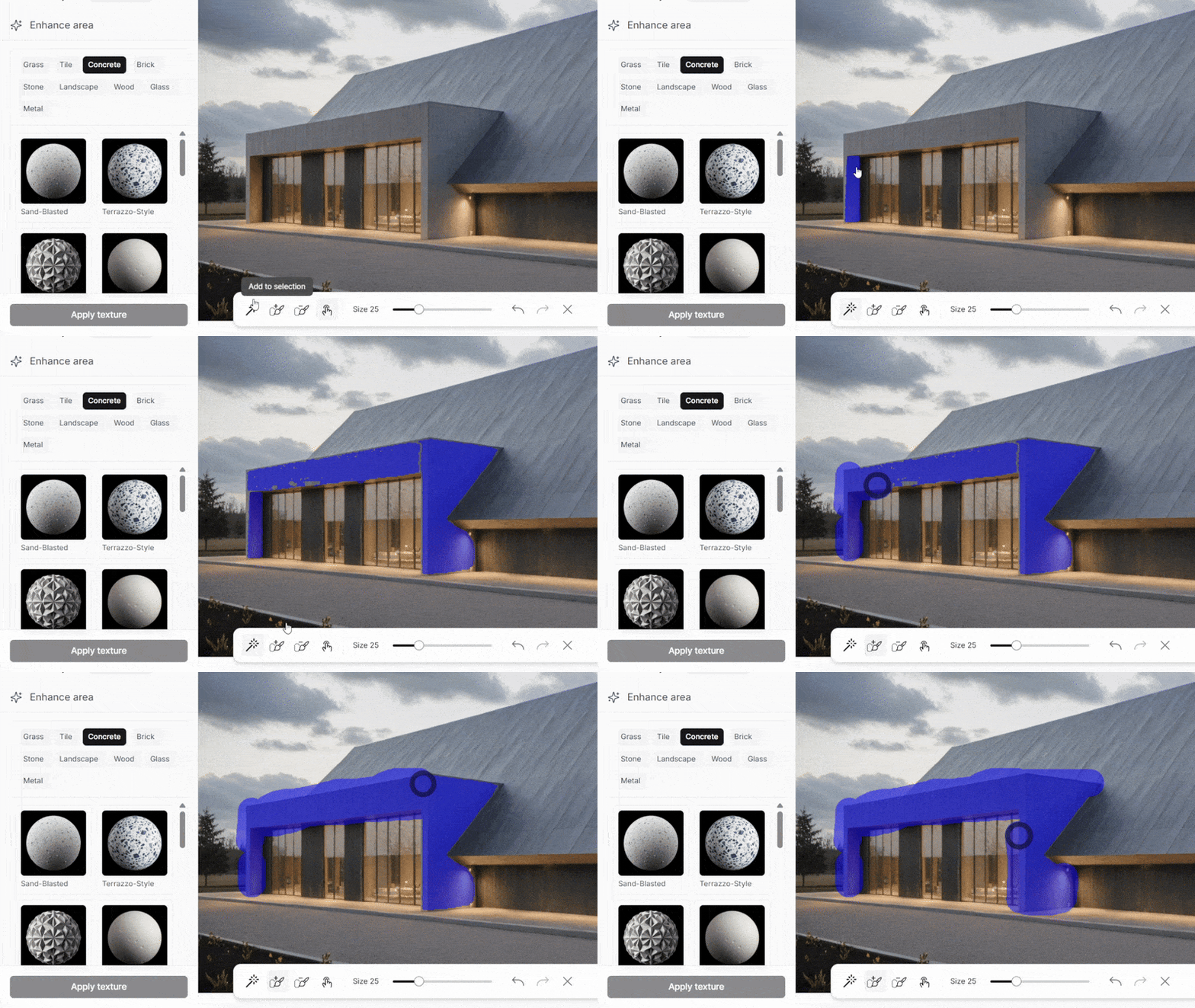
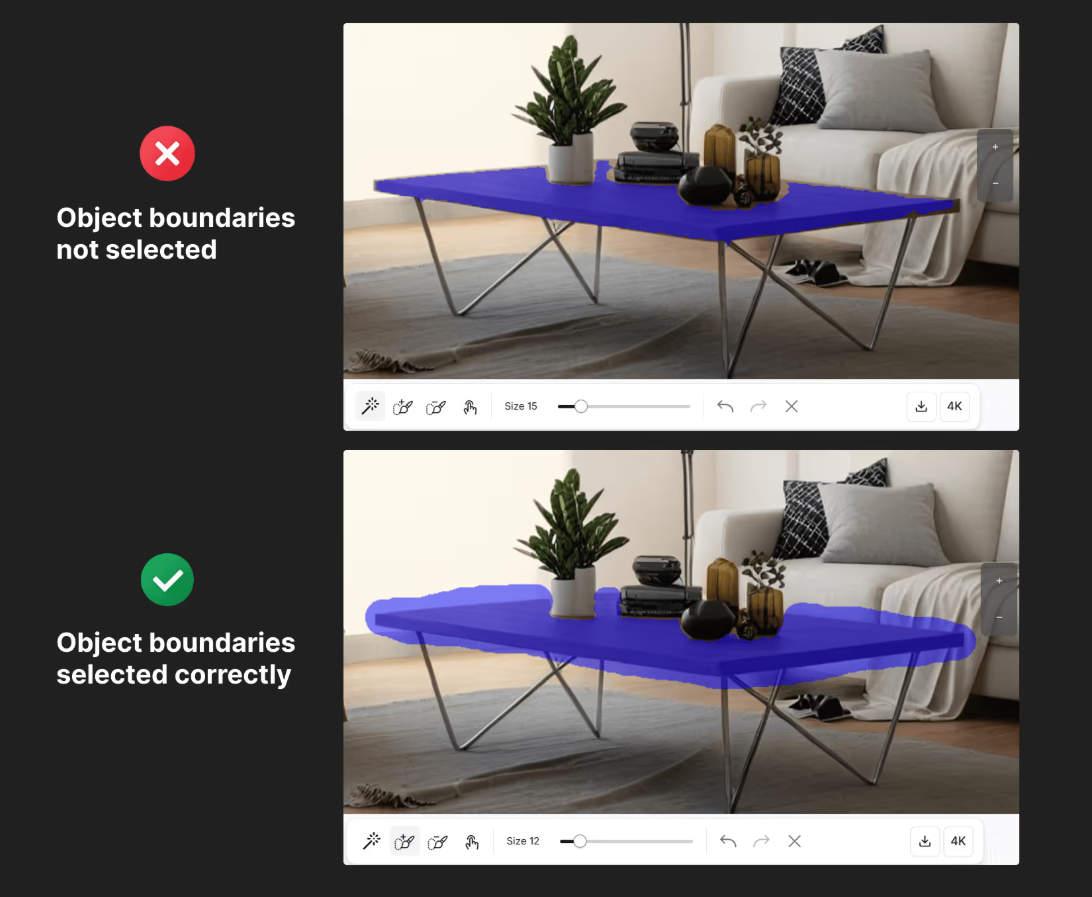
When selecting objects, select slightly outside their boundaries for best results.
Still need help? Ask the team