Changelog

Follow new updates and improvements to MyArchitectAI.

February 13th, 2026

Improved

The new rendering engine just went live, and it's a big step up.

Here's what's changed:

  • More realistic textures, vegetation, lighting, and reflections

  • Higher accuracy overall

  • Text and logos now render without distortions

  • Better prompt understanding

As a bonus, it doubles as an enhancer, just like the previous version (no extra settings needed).

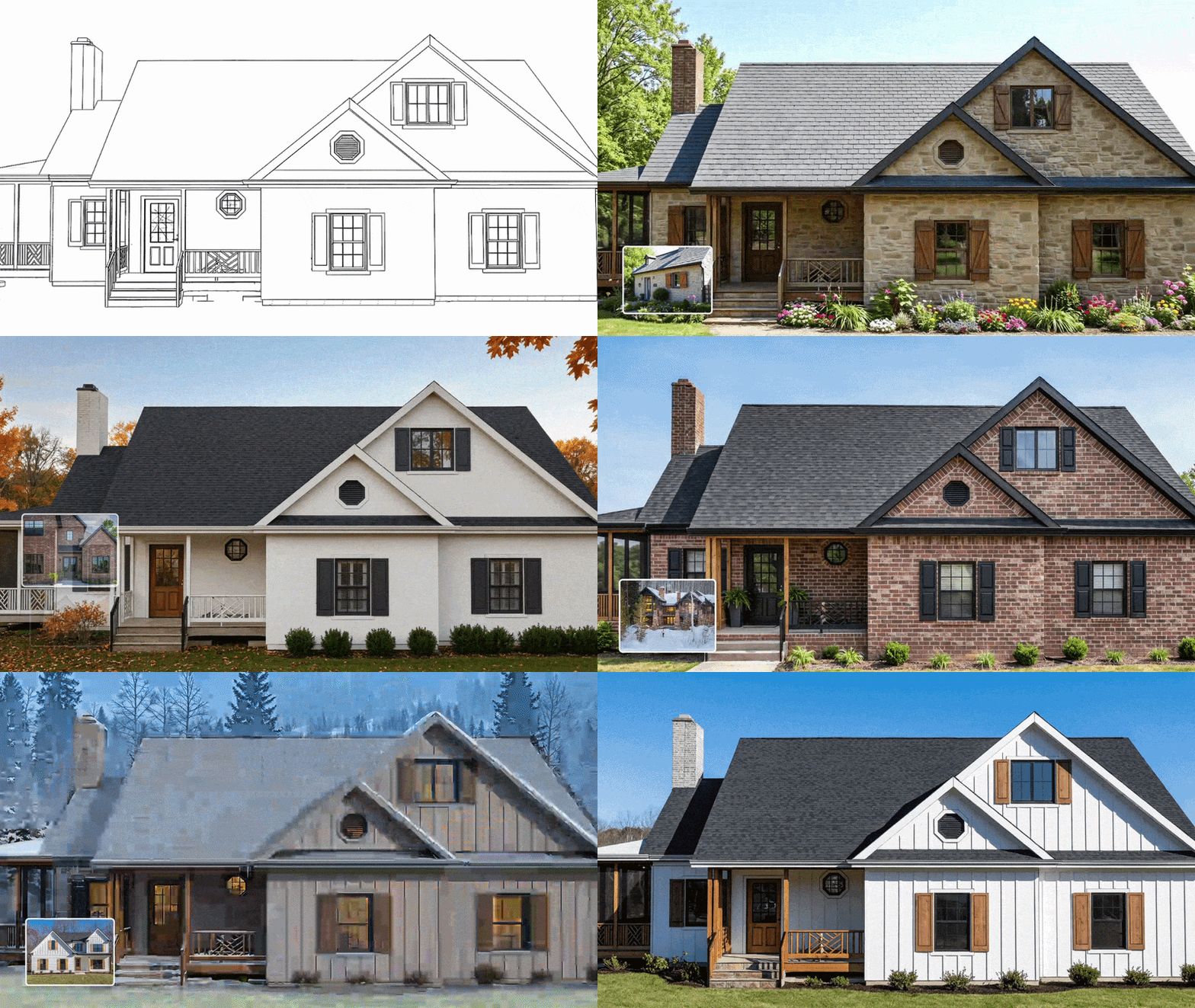
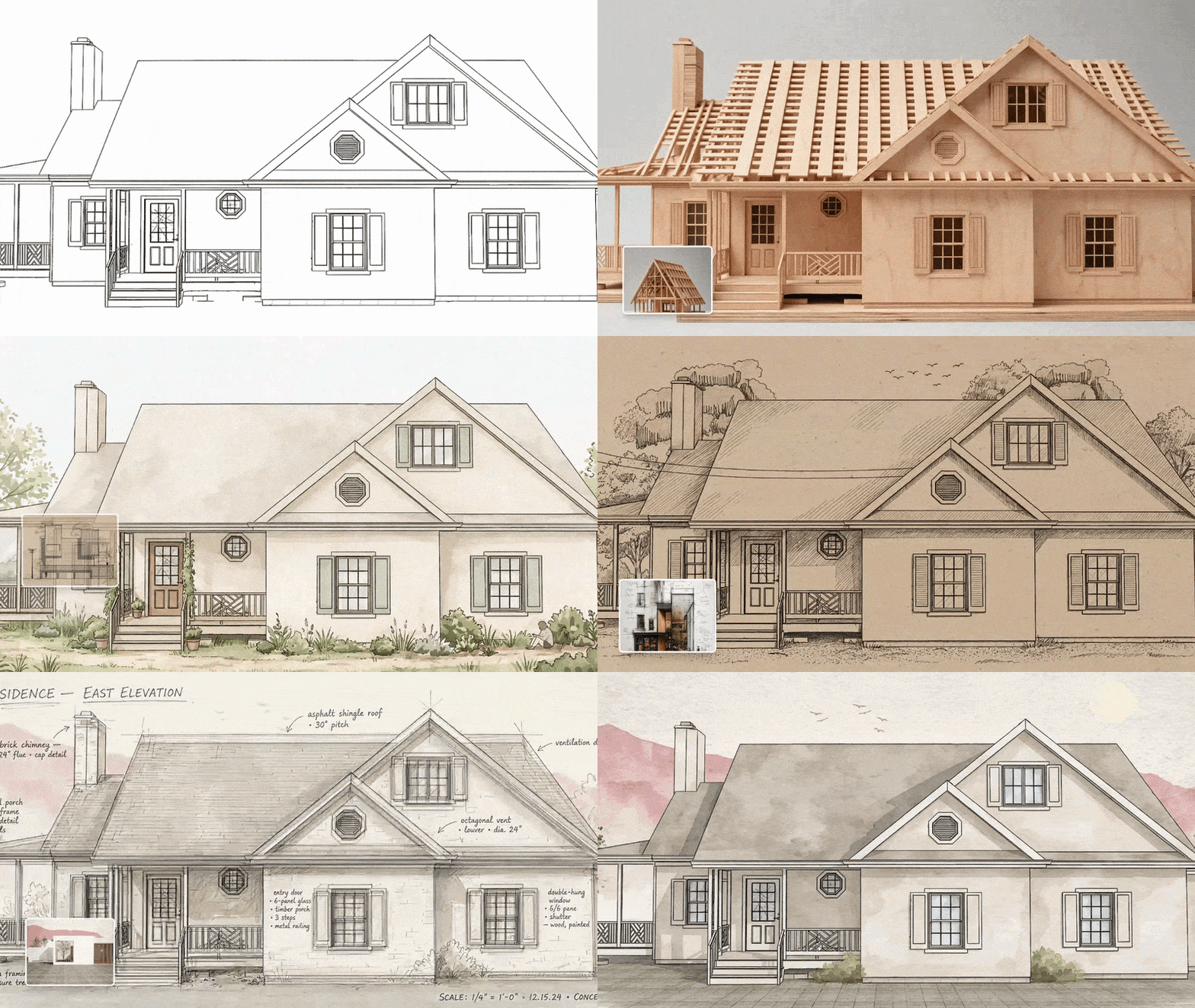
This update only applies to the core rendering engine ("preserve existing textures" mode). Visual Styles, Editing tools, and Enhancer are unchanged (but will be soon upgraded too).

February 2nd, 2026

Improved

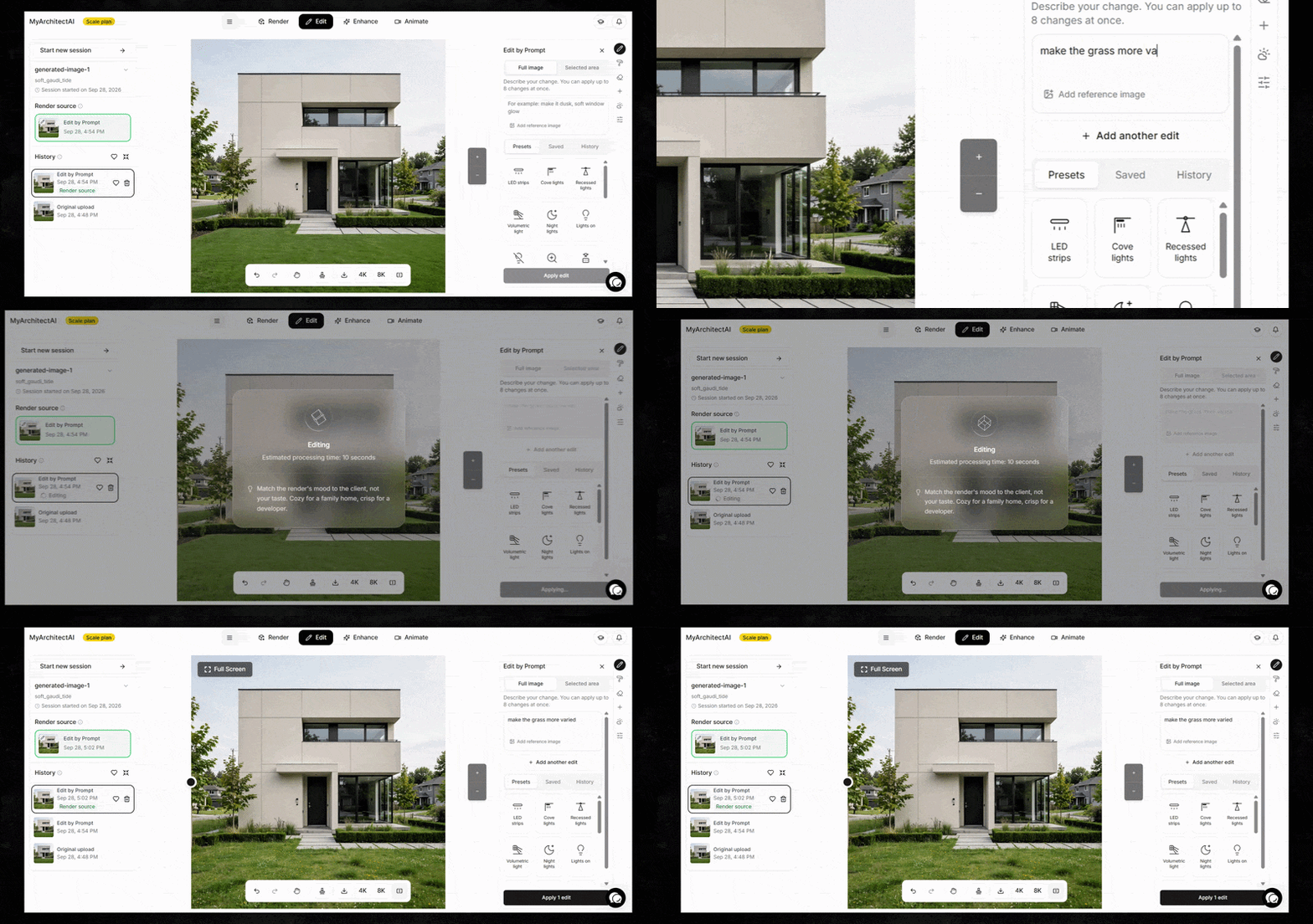
Thanks to everyone who shared feedback on the new interface. It was incredibly useful, and we've already made improvements based on what you told us.

Here's what changed:

1. Faster image uploads

Select the tool and you're in. No more upload pop-up in between.

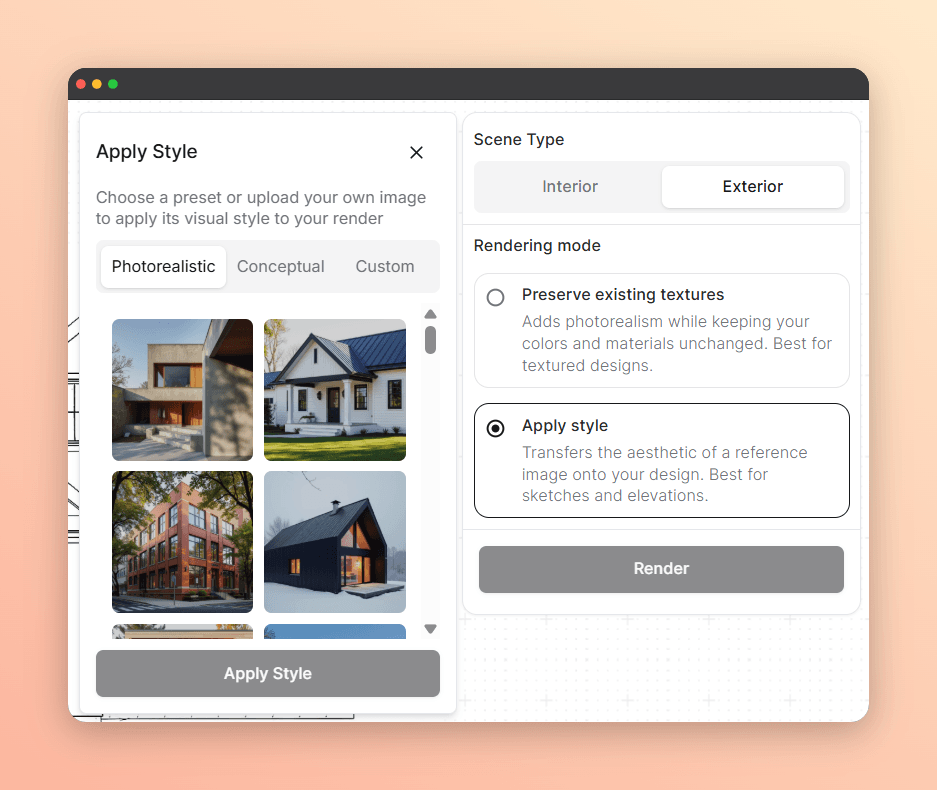
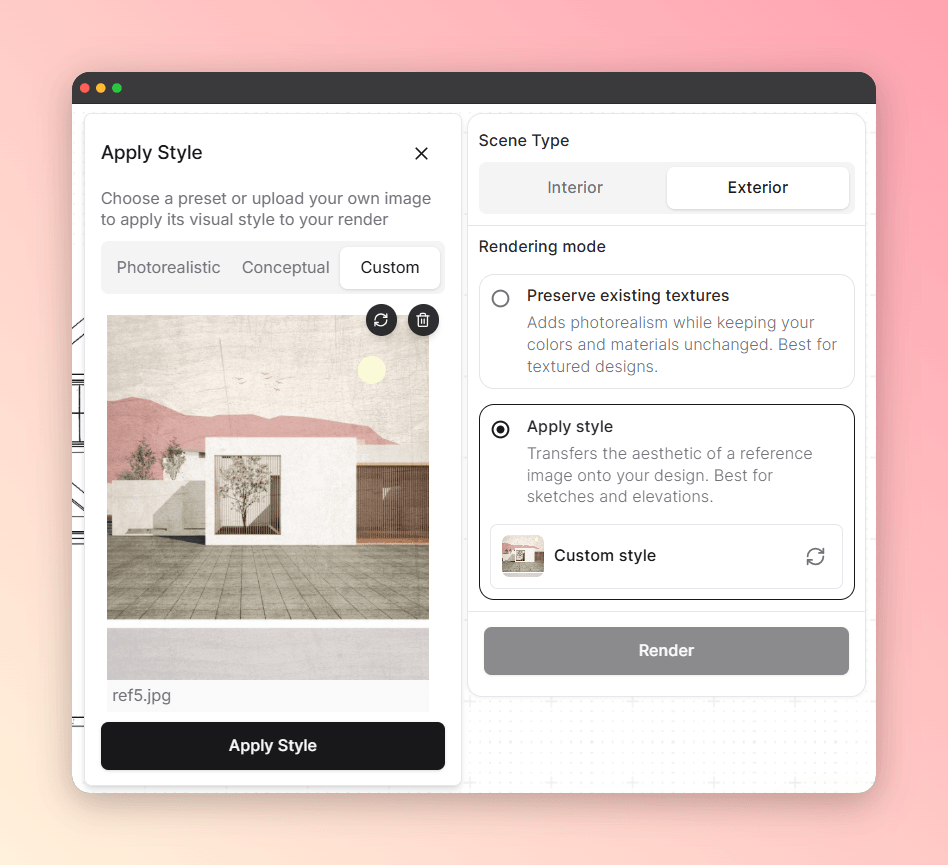
2. New 'Rendering Mode' setting

Now it's clear which settings to use when visualizing a textured design, and which to use when experimenting with different styles on black and white image inputs.

3. Lock your source image

Set any image as the 'Render source' to generate variations without clicking back through your history each time. In Edit mode, your last generation is automatically used as the source.

4. Starting a new session is easier

New "Start new session" button above the history pane makes it easier to upload a new image and start fresh.

5. Everything's bigger

Lastly, the entire interface is now slightly larger, making all controls easier to see and interact with.


This update exists because you told us what wasn't working well. Got more ideas? Reply to this announcement or let us know through the live chat.

Happy rendering!

January 17th, 2026

New

We’re excited to share what we’ve been building over the past few months.

We redesigned MyArchitectAI from the ground up to make your workflow more efficient than ever.

Here’s what’s new:

  • Your full generation history is now automatically saved to your account, including settings. You can organize everything into Sessions and Projects, so nothing gets lost.

  • You can start from any tool: Render, Edit, or Enhance directly, without having to render first like before.

  • You can move freely between tools as you work.

  • Edit by Prompt is now available on mobile devices.

To see how it all fits together, watch this quick walkthrough:

Try the new experience and tell us what you think. What works well? What feels missing? Your honest feedback helps us decide what to build next.

And if you need a hand, check out the updated tutorials page, or reach out via live chat anytime.

Happy rendering!

December 12th, 2025

New

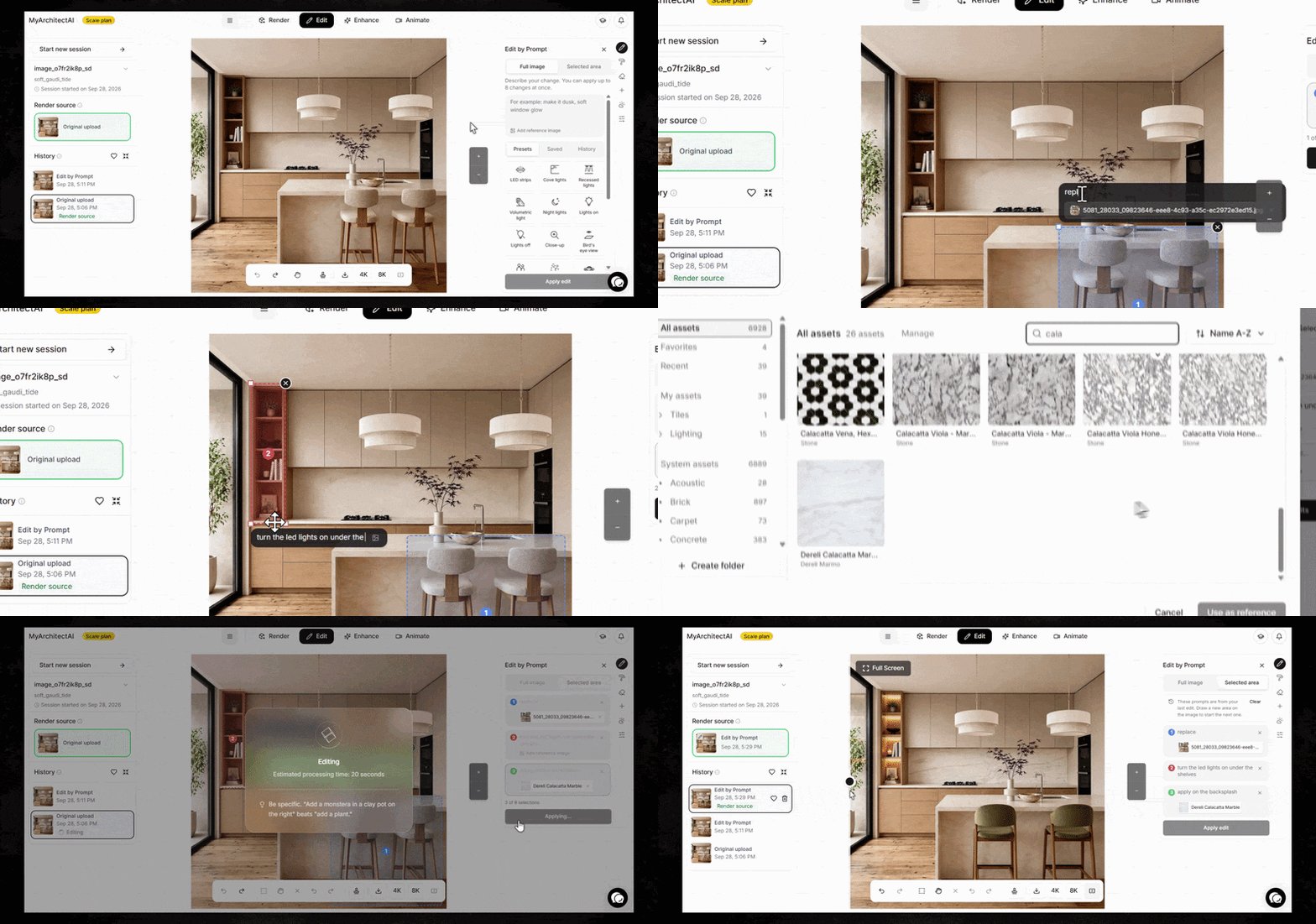
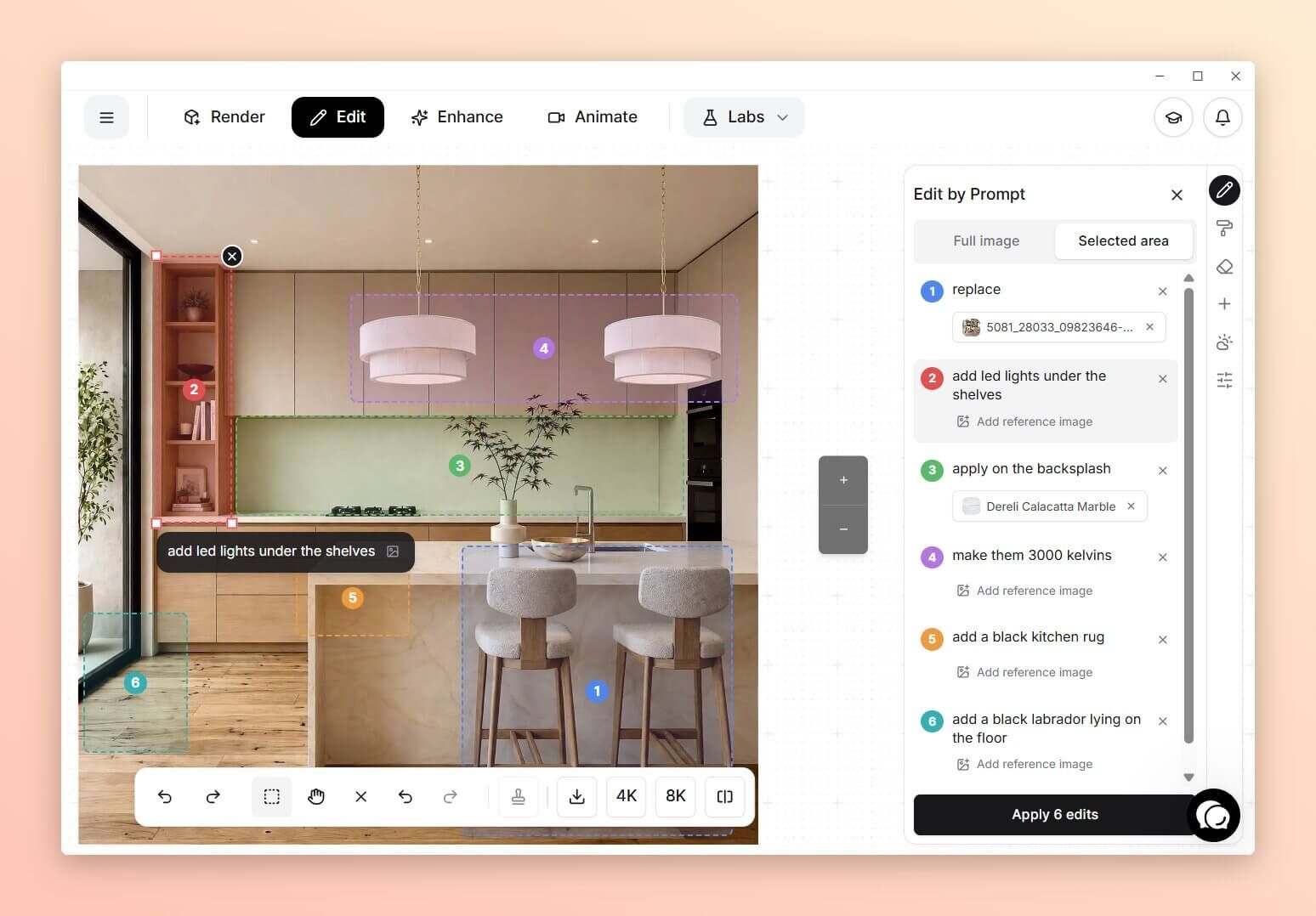
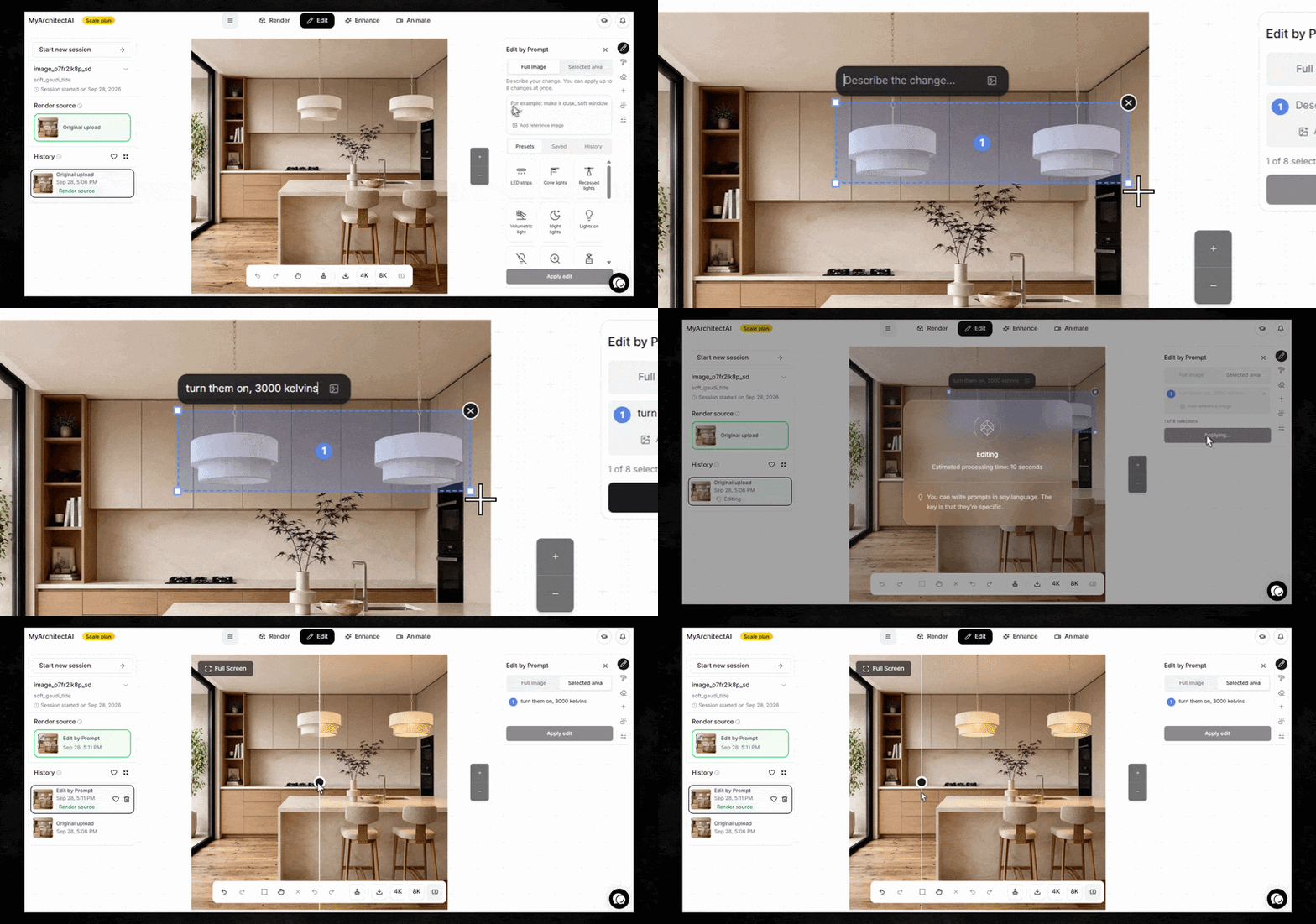
Add Object lets you quickly insert new objects into any scene (in 5 to 10 seconds), either from a text prompt or from a reference image.

Here's how it works:

1. Use the pencil tool to draw a selection on your image.

2. Describe what you want to add (e.g. “add LED strips”).

3. Click the "Add" button.

If you need even more control, you can also upload a reference image of the exact object.

The flow is the same: draw a selection, upload the reference, and add a prompt.

That's it:

Prompting best practices:

  • When adding objects based on just a prompt, say "add {object name}".

  • When adding objects from a reference image, say "add the attached {object name}".

No need to specify placement. The selection made on the image is enough.

Please note that this tool is still early, and you may see some unexpected results. We’re improving it fast.

December 9th, 2025

Improved

We just launched an improved 4K upscaler that sharpens edges and textures without altering or oversharpening your original details. It also fixes the distortion issues from the previous version, so your 4K downloads come out crisp and accurate.

It’s also much faster now, usually taking around 10–15 seconds.

December 4th, 2025

Improved

Monthly Edit by Prompt credits just increased from 100 to 500!

What’s more, edits without a reference image generate much faster, often by 50%.

Since Edit by Prompt is still in beta, these limits will keep going up as we optimize the engine. Unlimited is the end goal.

Enjoy!

September 26th, 2025

Improved

We’ve just brought the Remove Object tool back online after a quick update.

It’s now faster, more precise, and more stable than the previous version.

Try it out and let us know if you spot anything we should improve.

object_removal_gif.gif

September 19th, 2025

Improved

The new Edit by Prompt feature turned out to be more popular than we expected.

Since so many of you have shared how useful it is, we’re doubling the monthly credits from 50 to 100 so you can continue testing ideas without running out too quickly.

And if you ever need more, you can easily top up your credits from the app.

Enjoy!

September 11th, 2025

Improved

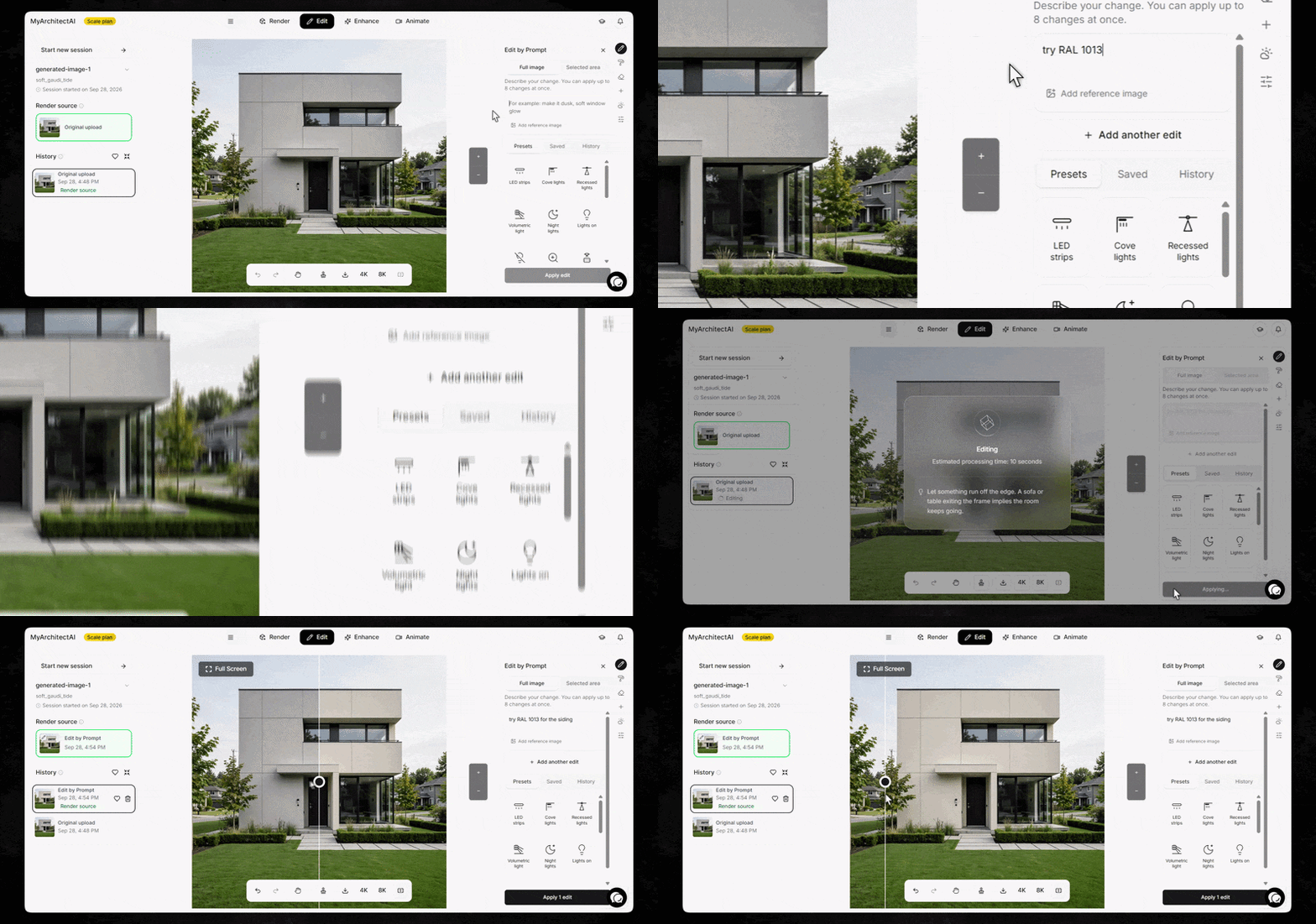
Editing renders using Edit by Prompt is now more precise with reference images.

You can add objects and apply custom materials by uploading an image and telling the AI what to do with it

For example, to add an object to the scene:

add.jpg

To test different siding types:

replace.jpg

If you need any help using the new feature, just ask us in the live chat!

September 2nd, 2025

Improved

We’ve upgraded the Edit by Prompt tool to make your edits more accurate and realistic:

  • Added objects blend into the scene more naturally

  • People are added without distortion

  • Lighting and weather changes look more realistic

  • Retexturing produces more accurate results thanks to better prompt following

Tips for best results:

  • Be specific. Instead of “add some people to the scene,” try: “add a couple in their 30s standing in the kitchen, holding black ceramic coffee cups and talking.”

  • If you want changes only in a certain area, mention it explicitly, for example, "make the beige armchair in the corner olive green."

  • If you notice unwanted changes, add something like: "keep the original camera angle, lighting, and composition unchanged."

If you're stuck or want to share some feedback, the live chat is always open.