Render to moodboard
Written By Kacper Staniul
Last updated 12 days ago
This tool lets you turn your render into a moodboard showing the color palette, materials, and key furniture pieces using one of the nine presets:
Flat lay
Materials & palette
Labeled vignette
Sample box
Catalog grid
Sketch & swatch
Detail collage
Sample table
Scrapbook
To generate a moodboard, just pick a style preset and the target aspect ratio.
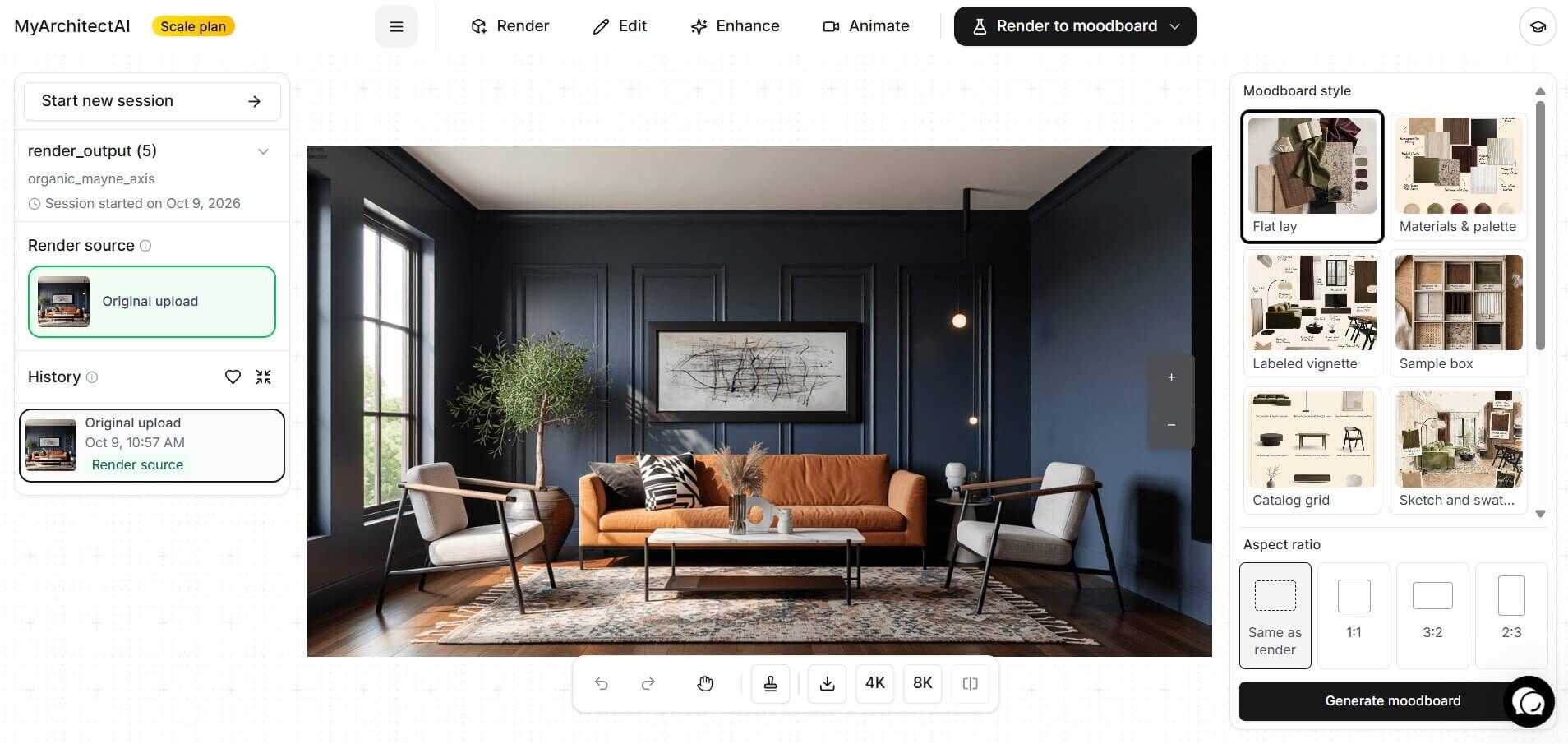
If you need to make any adjustments to your moodboard, you can move to Edit by prompt to adjust things like the background color, text, and more.
For example, to edit the labels:
Switch to the Selected Area mode.
Select the label to modify.
Describe the expected change, e.g. change text to “Abstract Canvas Wall Art”.
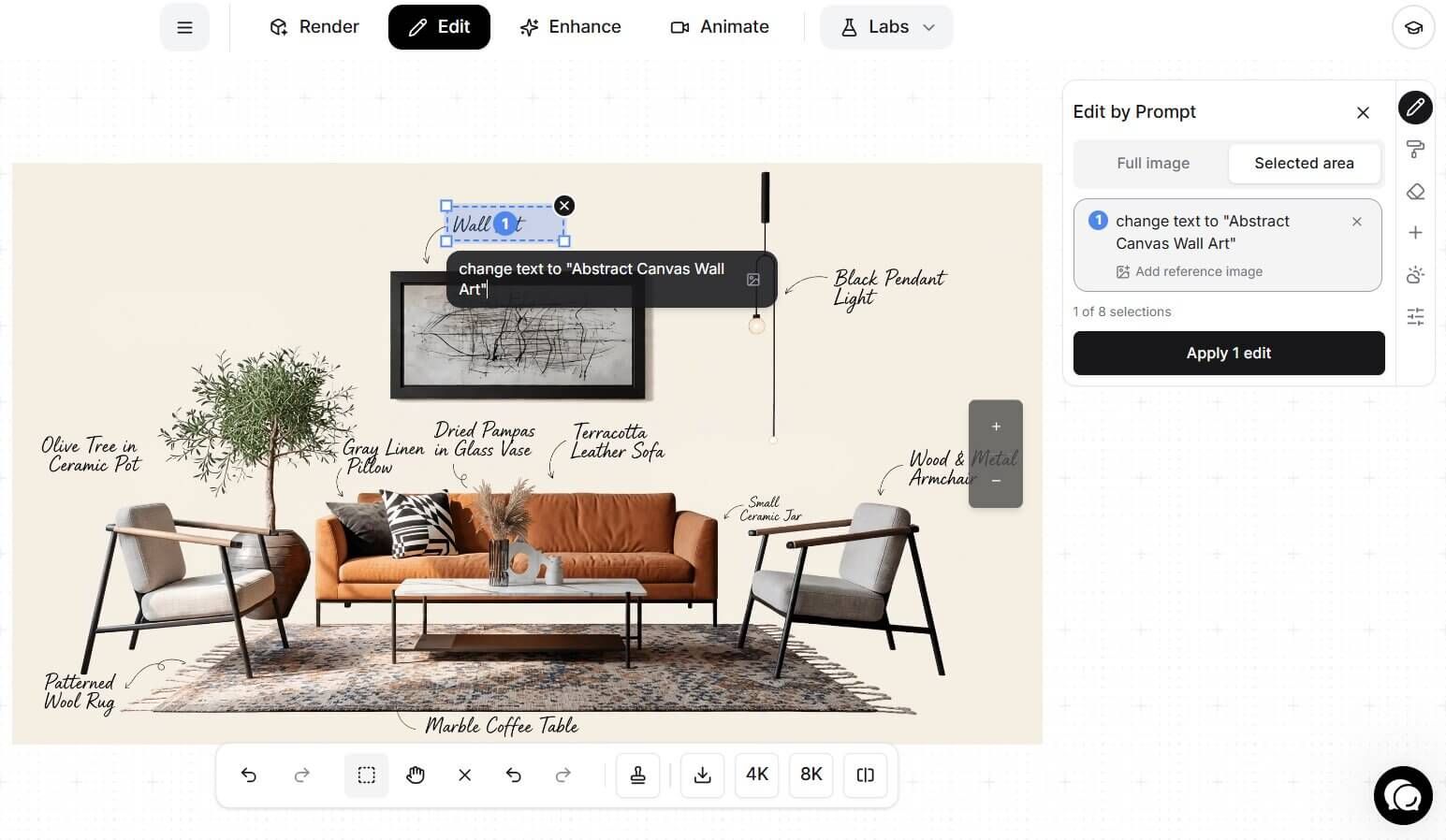
Follow the same approach to make any other change, like using different background colors, adding new labels, and more.
This tool is in beta phase, so expect some rough edges. Tell us what works and what doesn't, and we'll use your feedback to improve it.
Was this helpful?
Still need help? Ask the team