Changelog

Follow new updates and improvements to MyArchitectAI.

The new Edit by Prompt is here

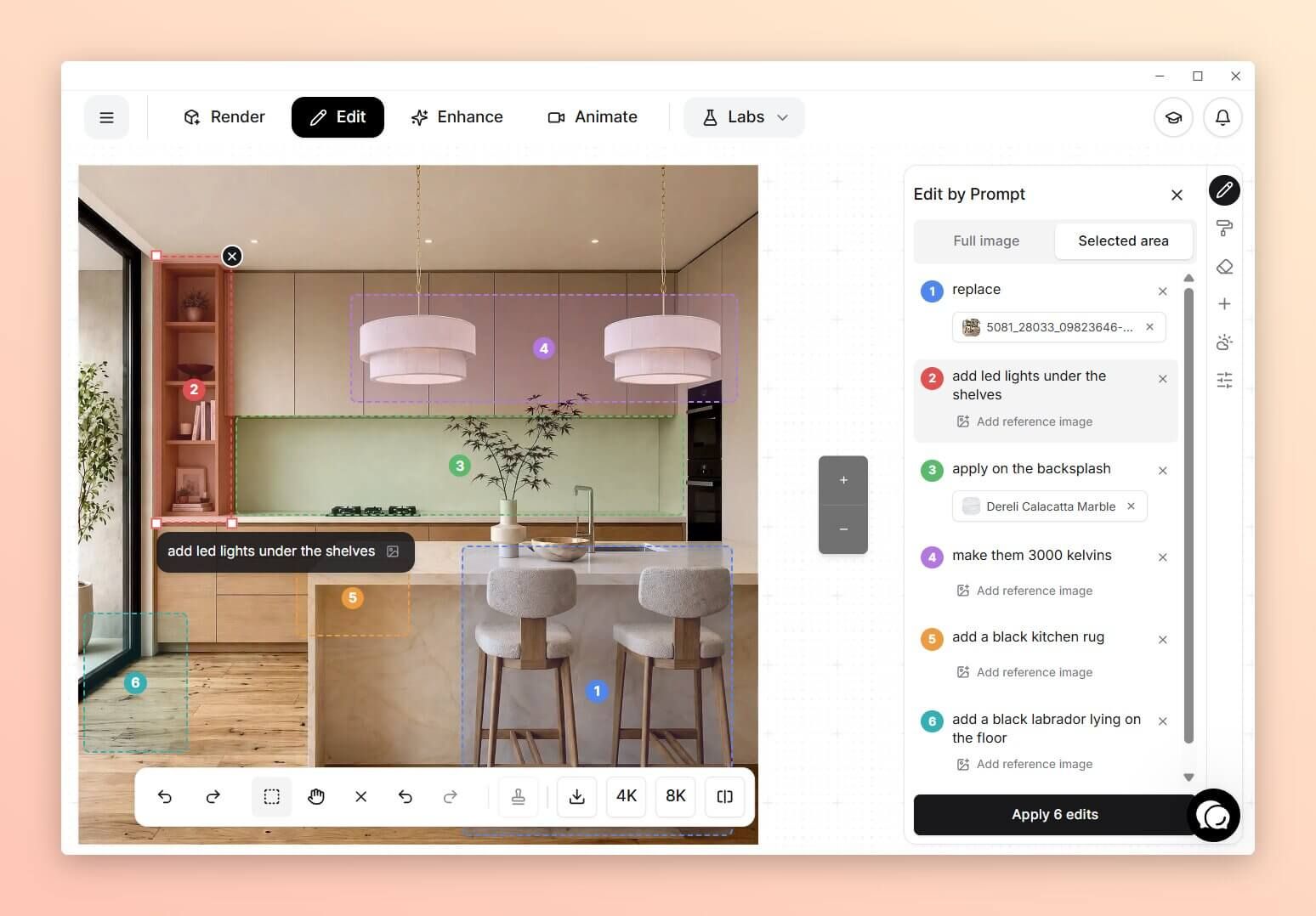
We rebuilt Edit by Prompt from the ground up. You can now mark up your renders, make several changes in one go, and get the results you want in fewer iterations.

Key improvements:

  • Edit selected areas

  • Make multiple edits at once

  • Much better prompt understanding

  • No resolution loss

  • No more monthly limits

  • RAL and HEX color code support

Watch the short demo to see it in action or read the text version under the video.

What you can do now that wasn’t possible before.

Edit selected areas

Select a part of the image and describe what should change. Everything outside the selection stays untouched.

You don't need long, detailed instructions anymore. The engine is much smarter now.
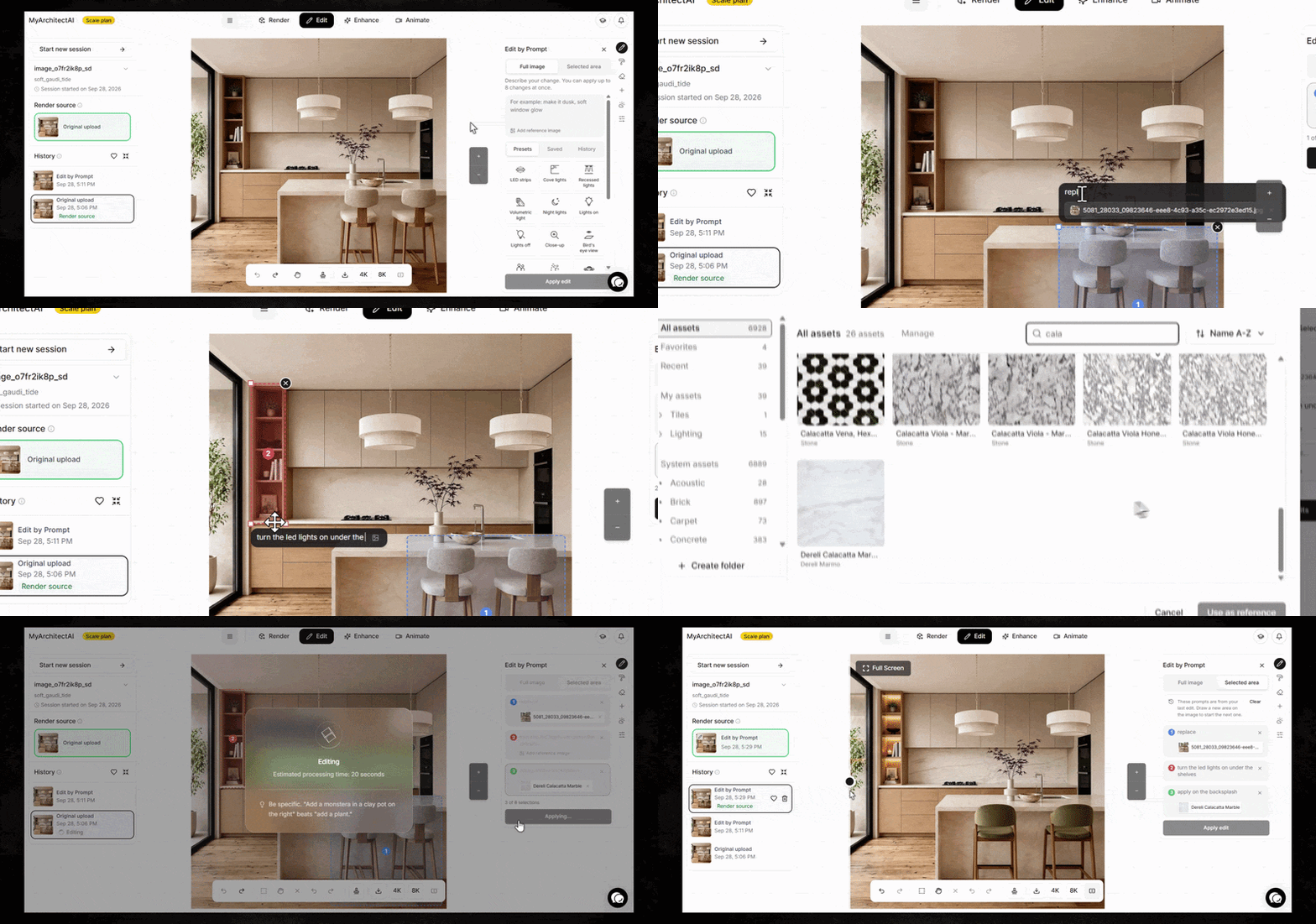
Make up to 8 edits at once

Works in both Full image and Selected area modes.
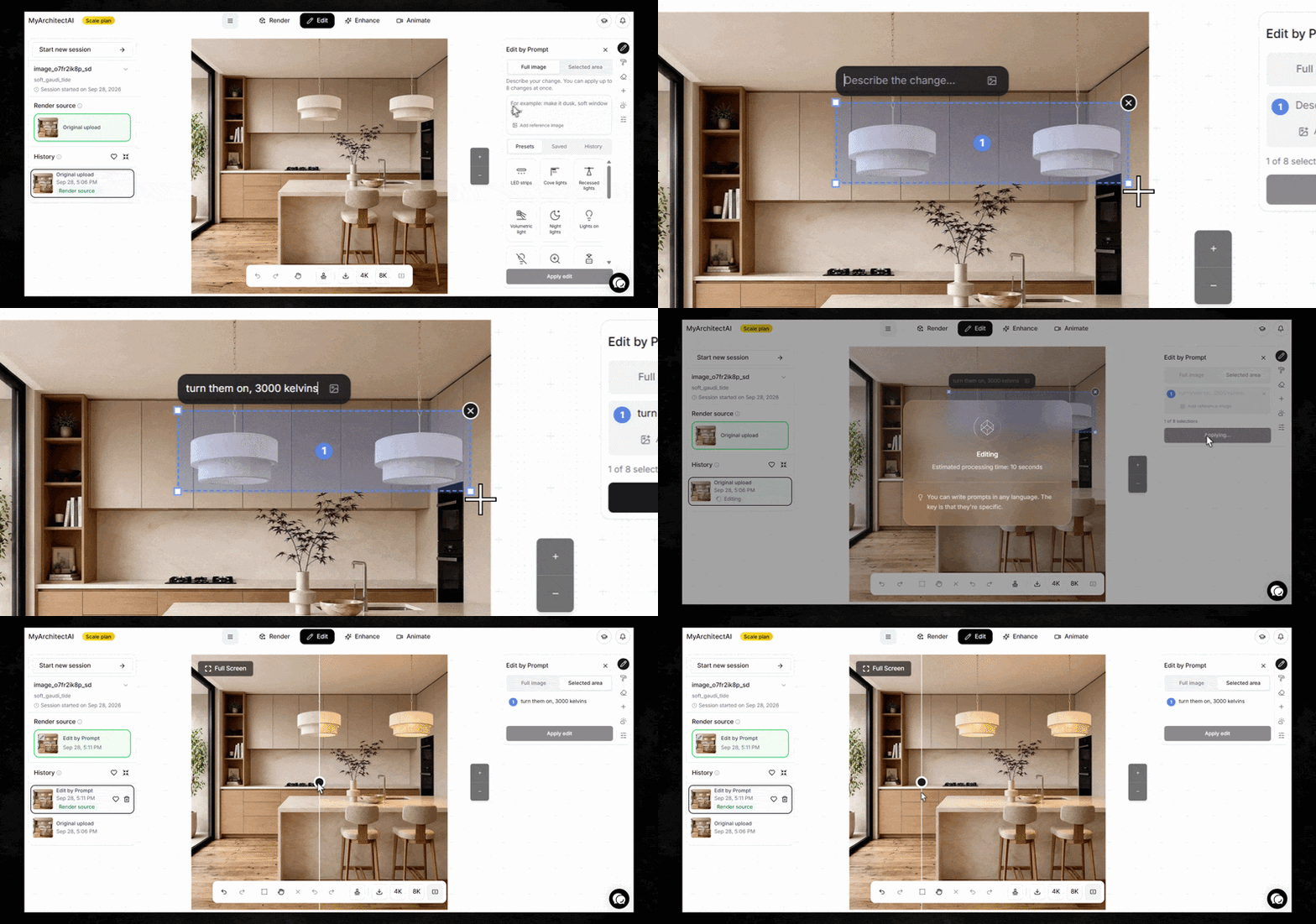
Control color temperature

Select a light fixture and say e.g. “change color temperature to 3000 Kelvins” for a quick color temperature change.
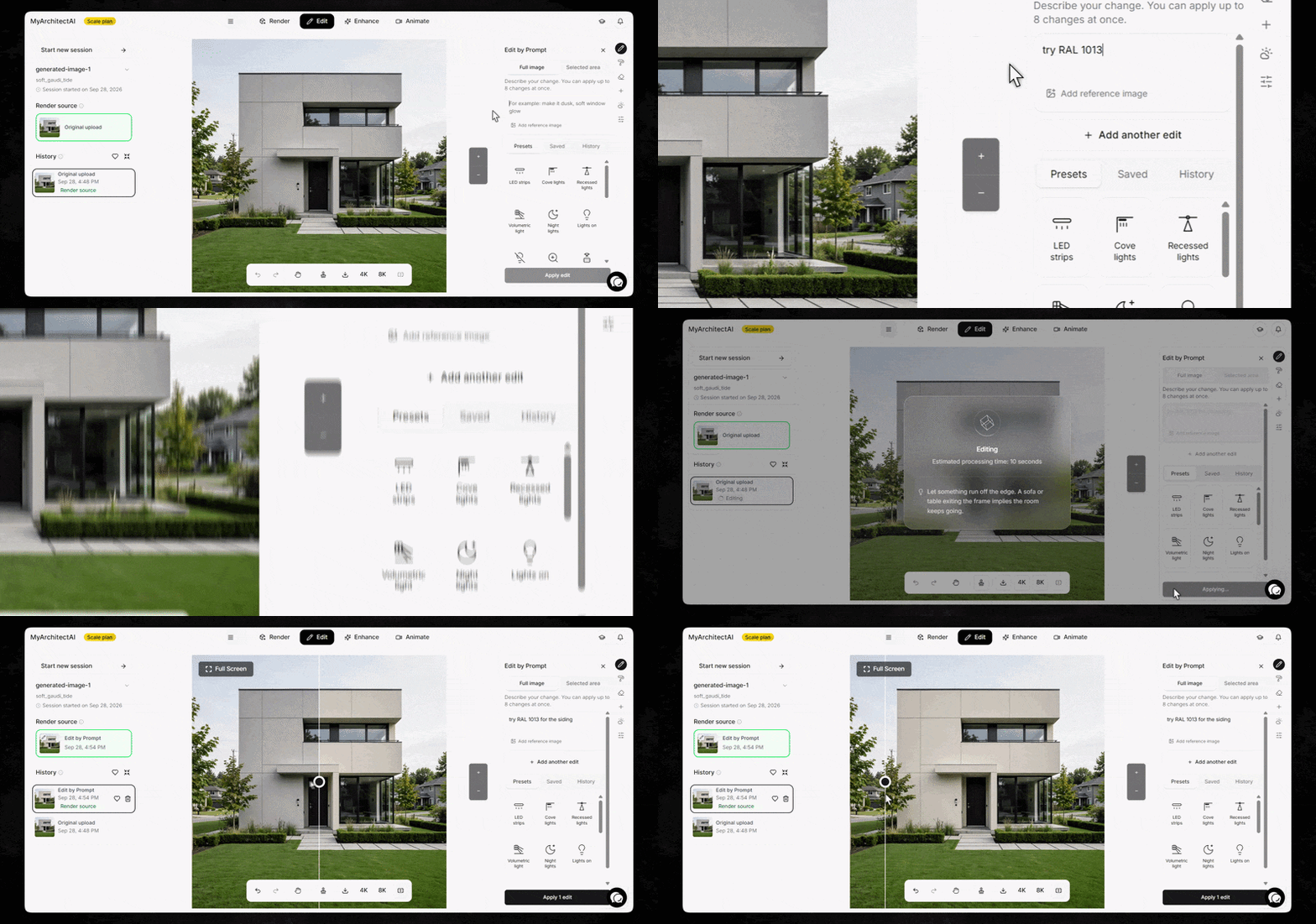
Use RAL and HEX codes

"Change the siding color to RAL 7016" or "make the sofa #2F4F4F" gives you that exact color.
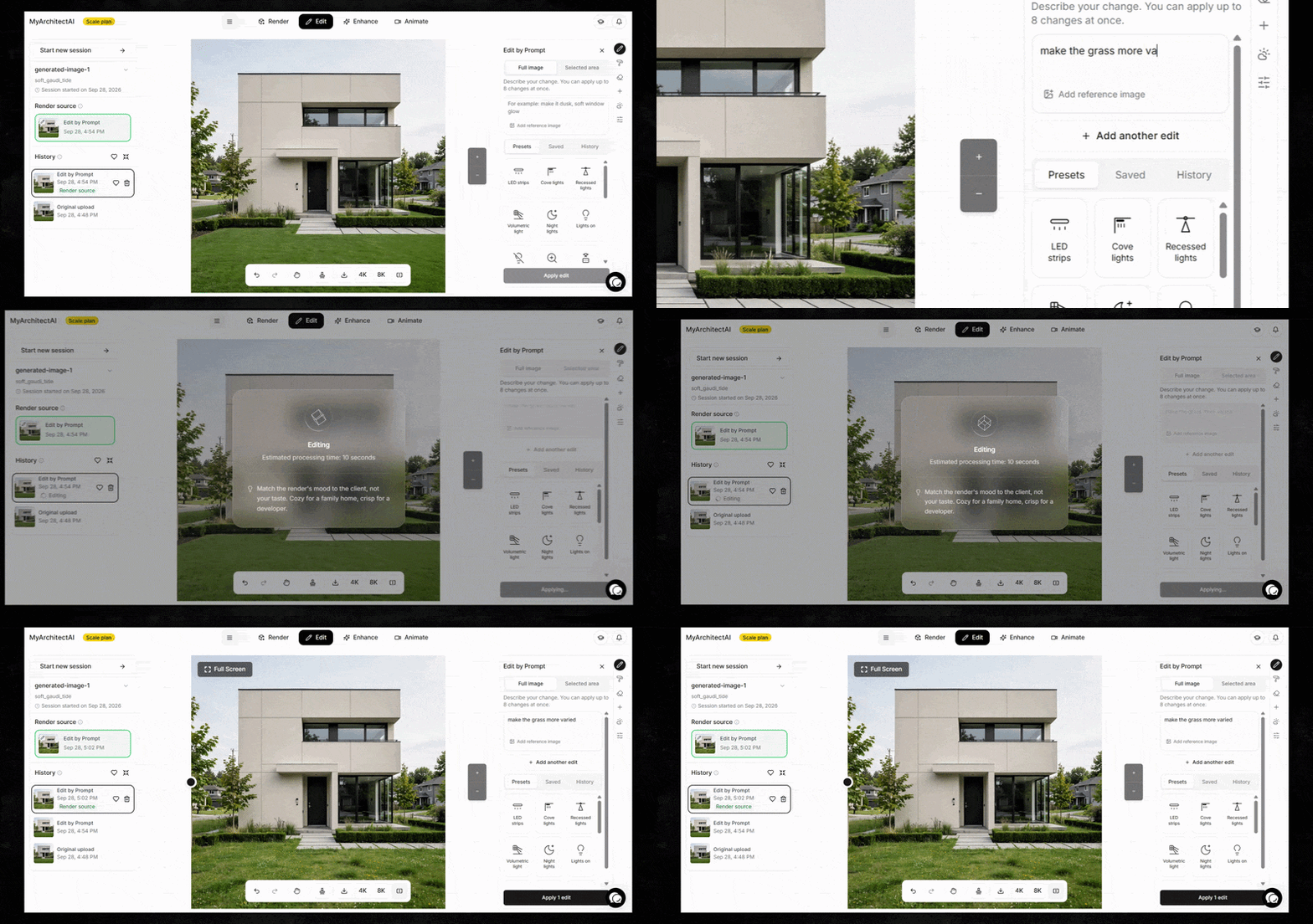
Fine-tune the details

Perfect your renders using prompts like "Make it slightly darker." "Make the tiles more glossy." or "Make the grass more varied." You’ve got full control now.
…and a lot more.

Give it a try and let us know what you think!
Improved

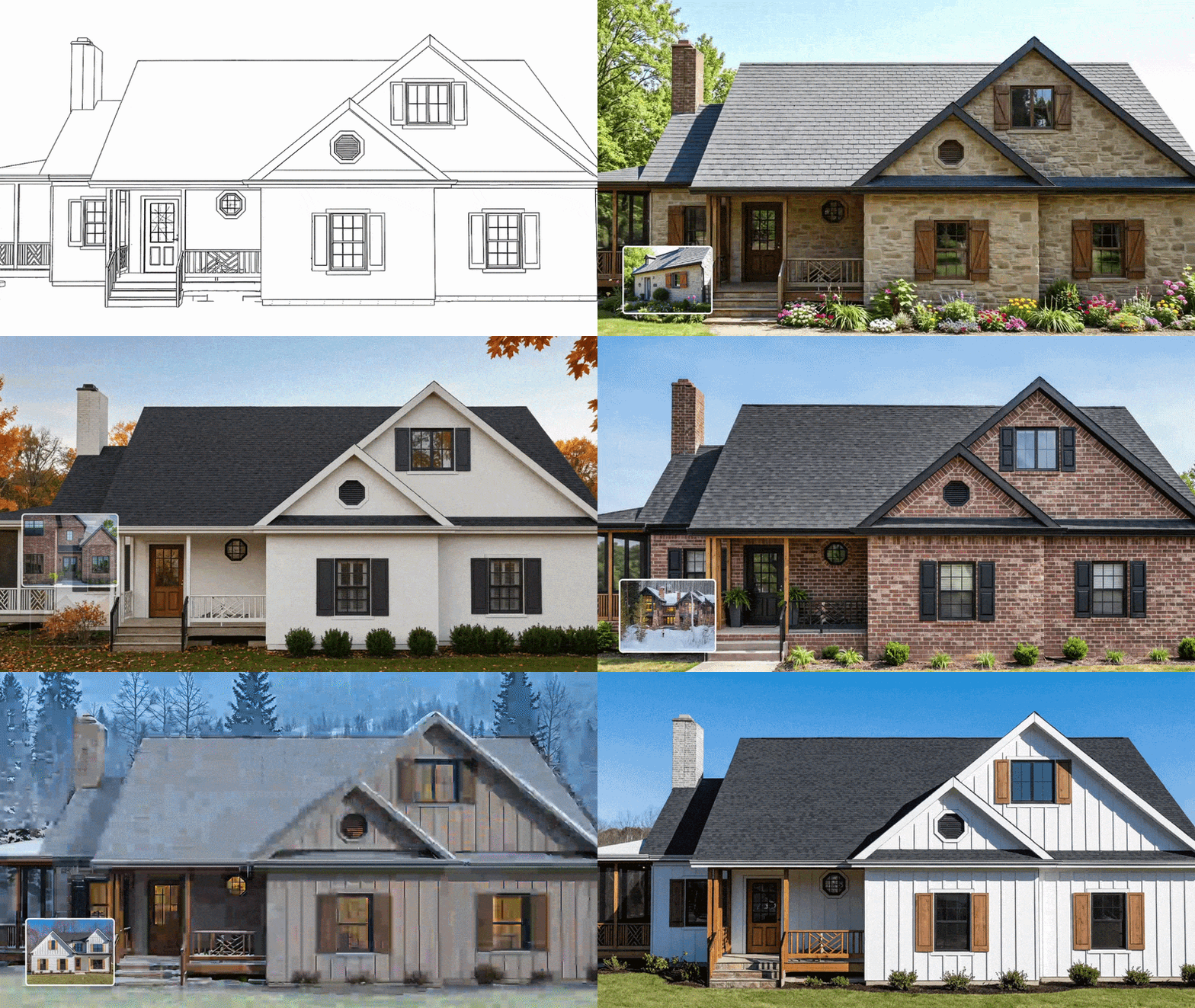
Improved 'Apply Style' mode

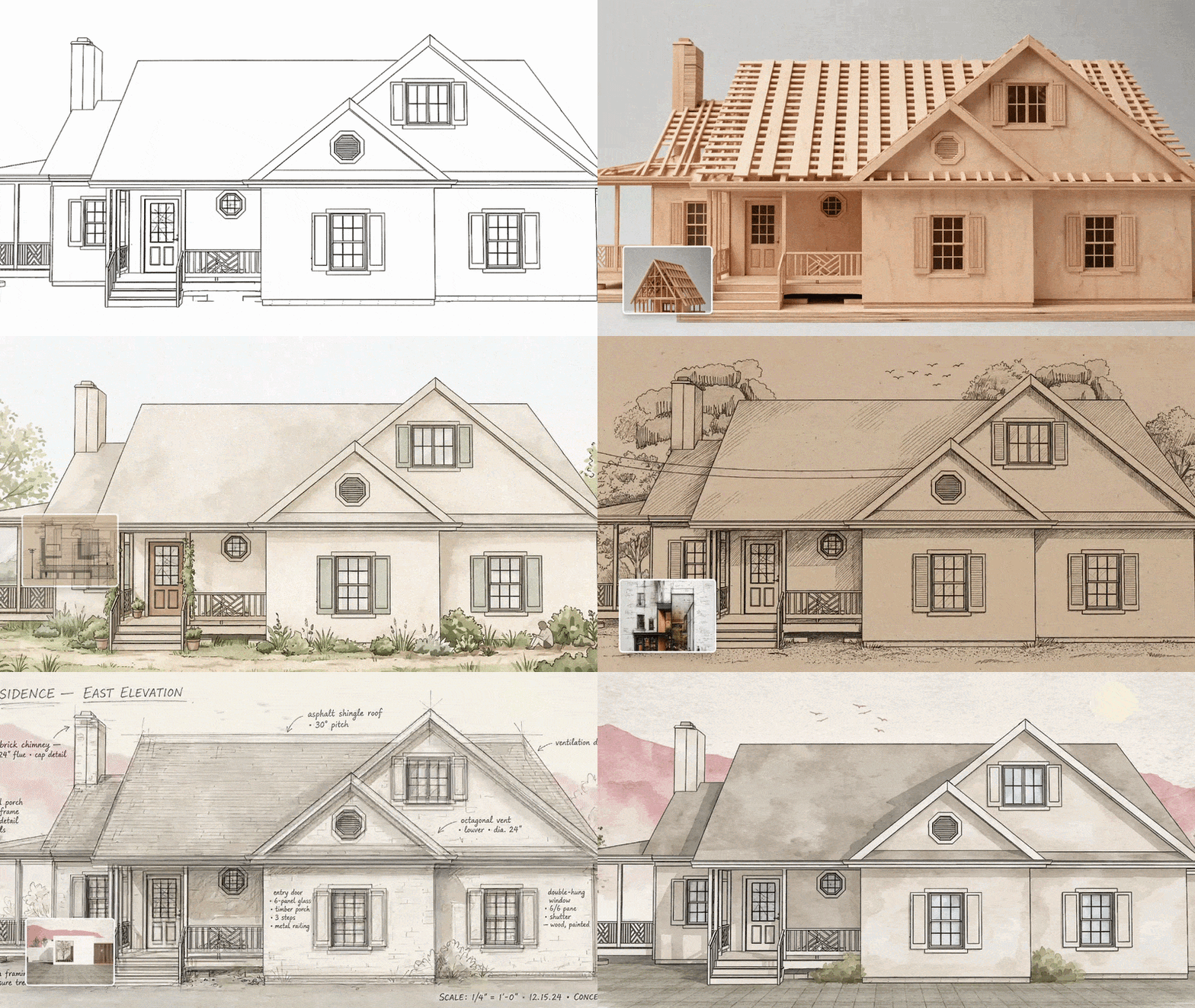
We upgraded the AI engine behind the 'Apply Style' rendering mode.

The result: your input geometry stays unchanged, realism is much higher, and renders are now in 2K resolution by default.

You'll notice the creativity slider is gone. You don't need it anymore, as the engine makes those adjustments for you.

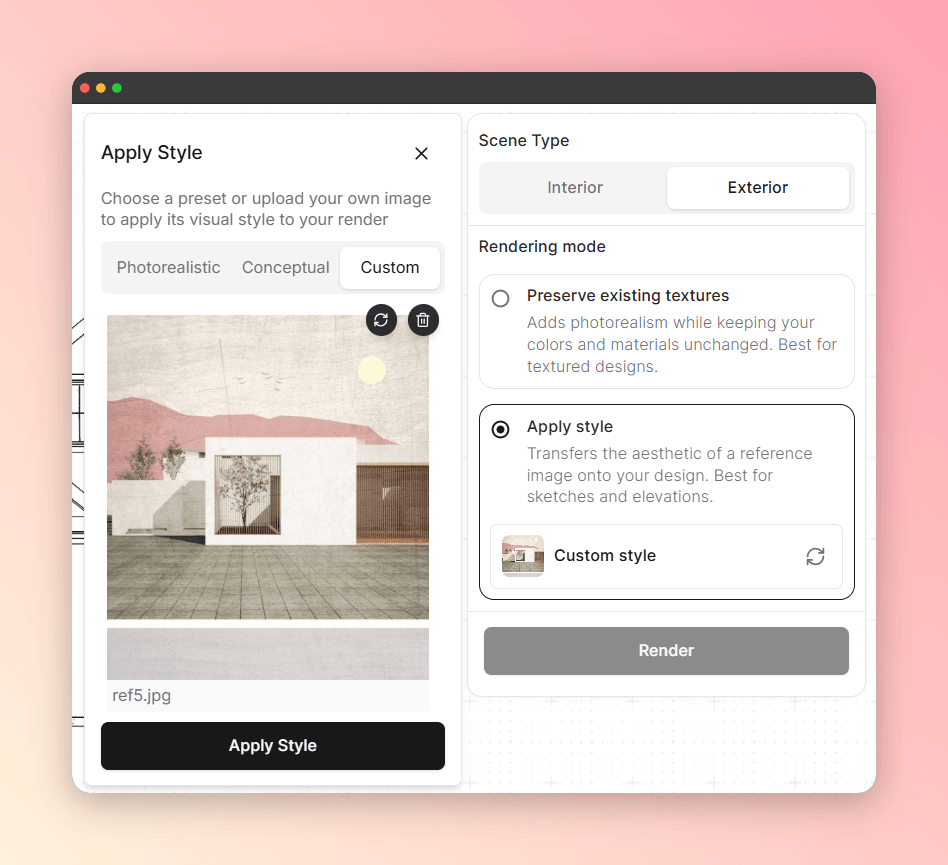
You can also upload your own reference image to render in any style you want, alongside the built-in presets.

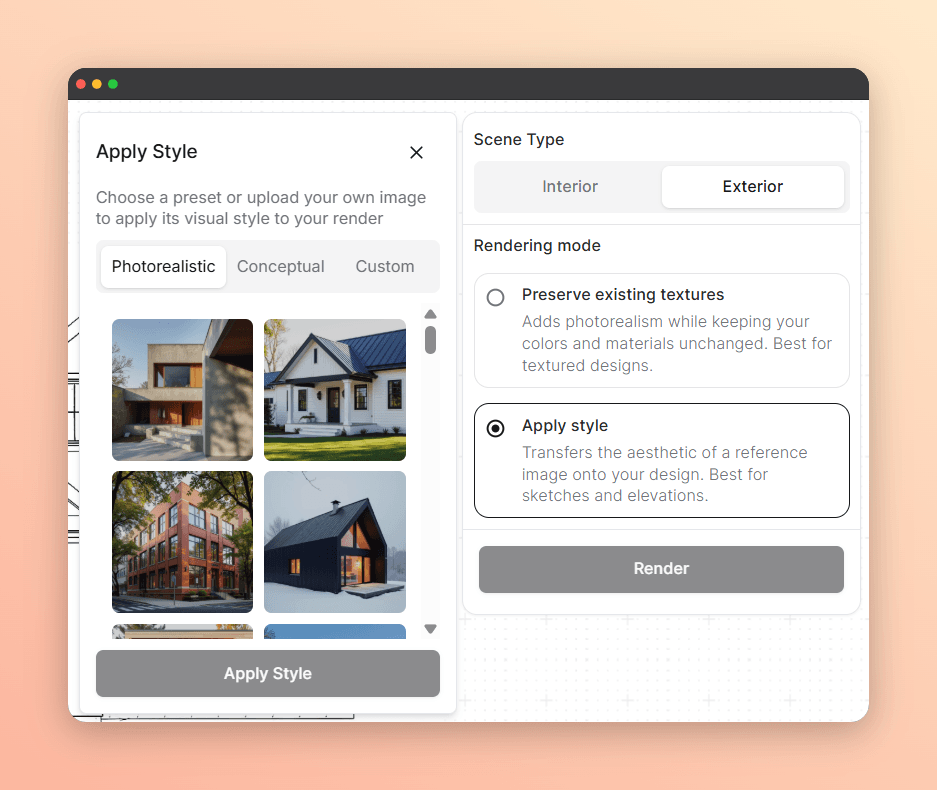
In case you haven’t used it yet, here’s how to do it:

  1. In the Render tab, pick the ‘Apply Style’ mode, and choose between presets…

…or uploading your own style reference image:

  1. Then, apply the style, and click ‘Render’. No extra settings needed.

Improved

MyArchitectAI x Architextures

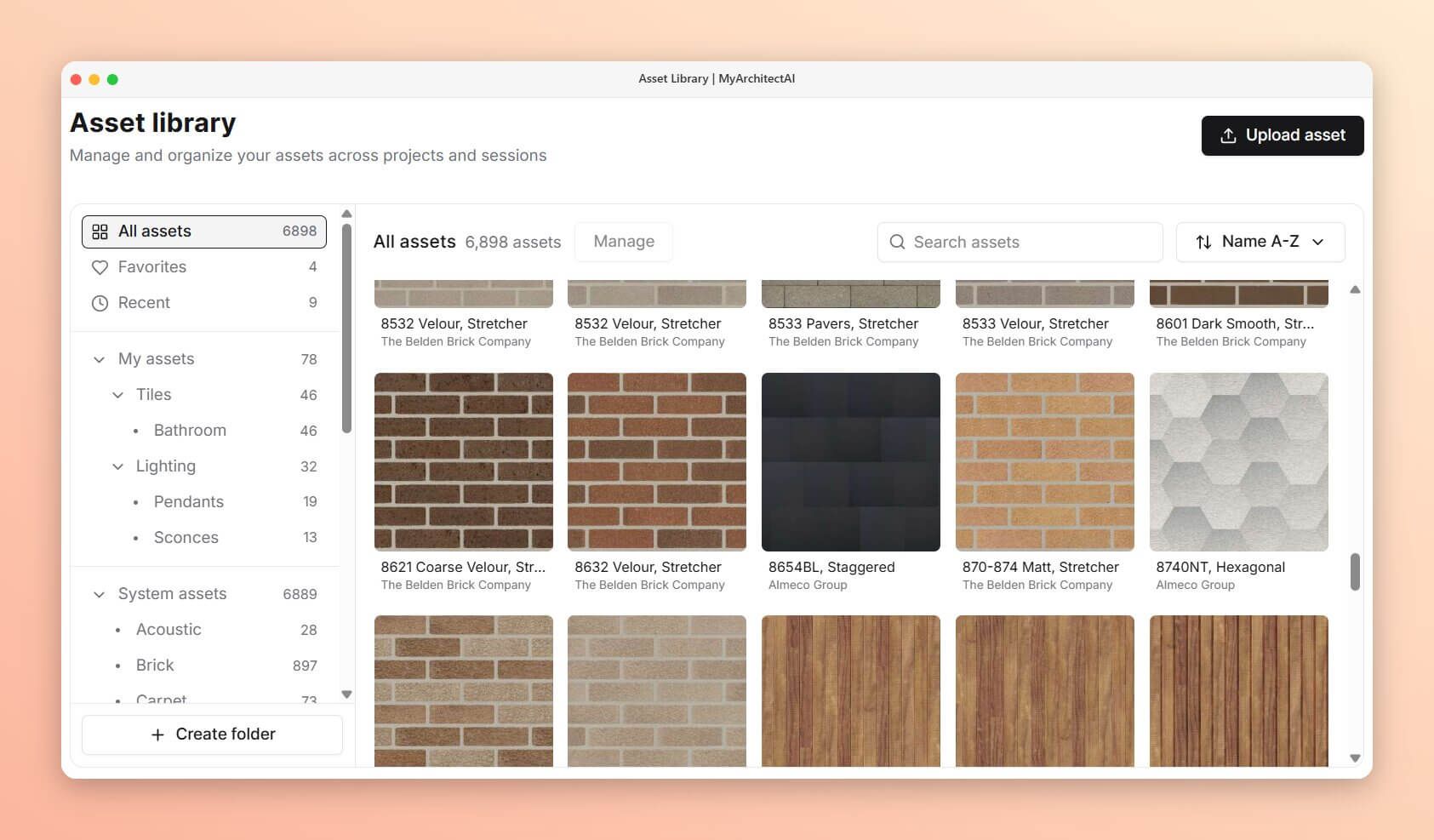
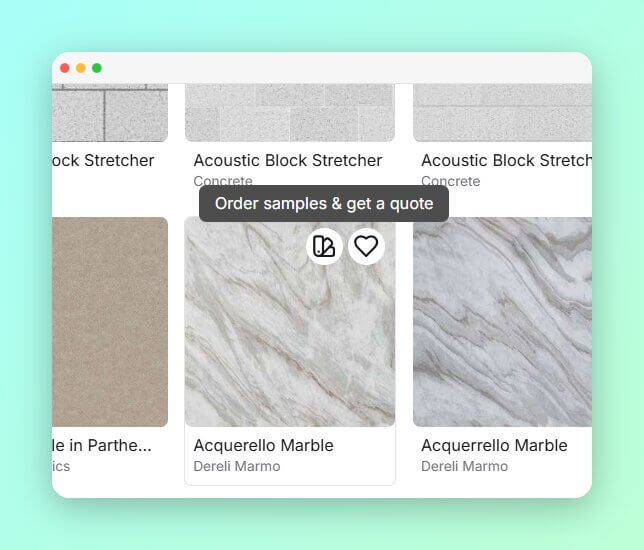
We partnered with Architextures, a leading texture library, to bring all their 6,000+ assets into MyArchitectAI.

You can access them from Edit by Prompt, Change Texture, the Add Object tools, as well as from the Assets tab in your dashboard.

Most textures come from real manufacturers, so you can click the swatch icon to get a quote or order a sample directly.

Make the Asset Library your own

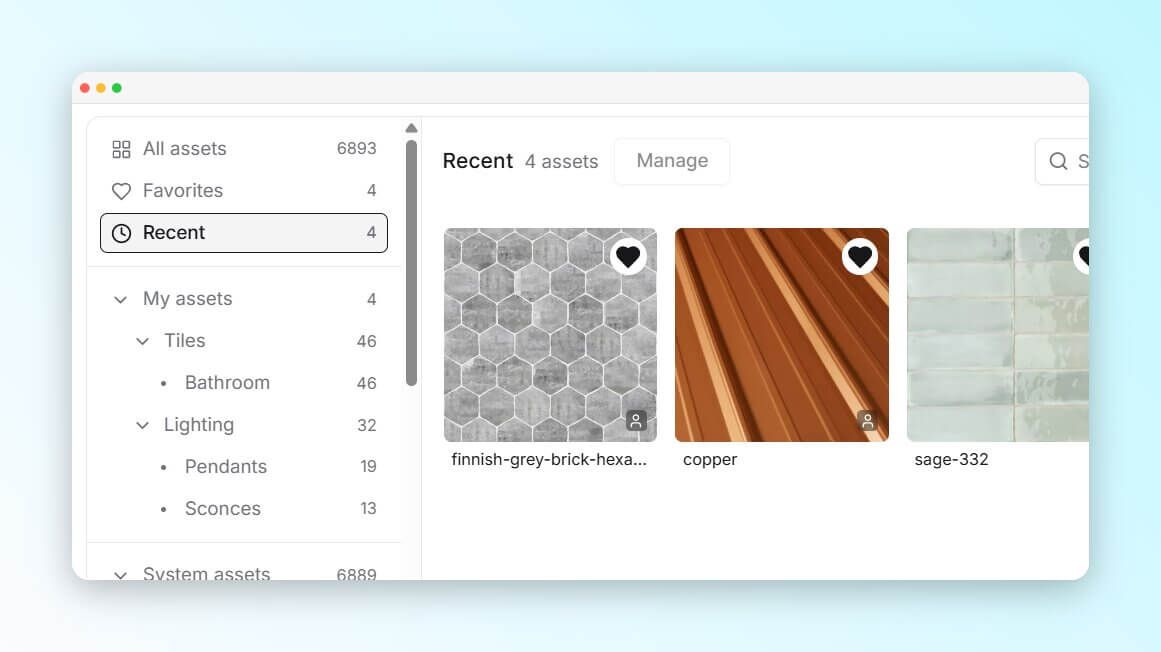
All reference images you upload when rendering or editing are automatically saved in the Recent tab, and you can rename and organize them into folders for easy reuse across projects.

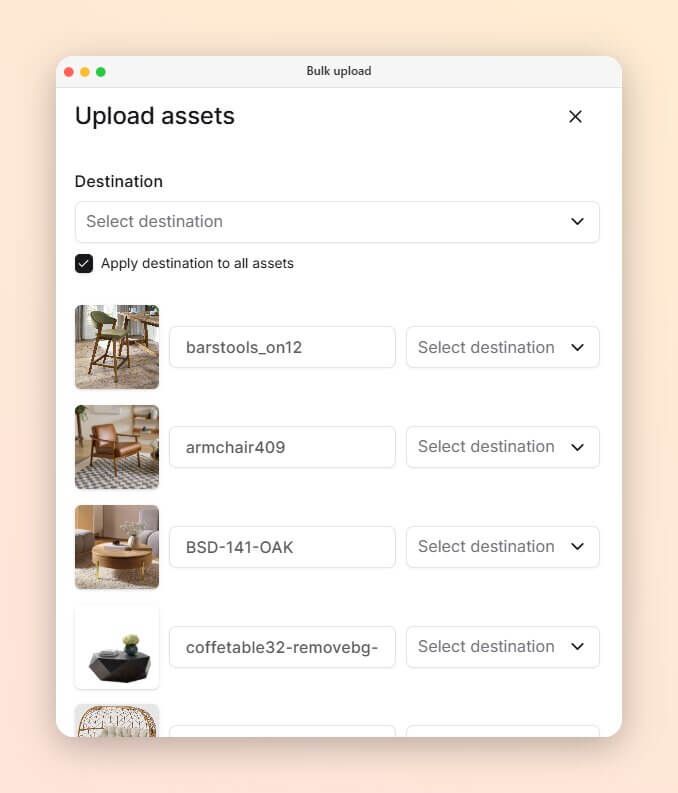
And it's not just textures. Upload furniture, home decor, and any other assets you need for your projects. Bulk upload is supported too.

No setup needed, everything is already live in your account.

Improved

Earlier updates